
Mac vs Windows Repair: Which Is Easier and More Affordable to Fix?
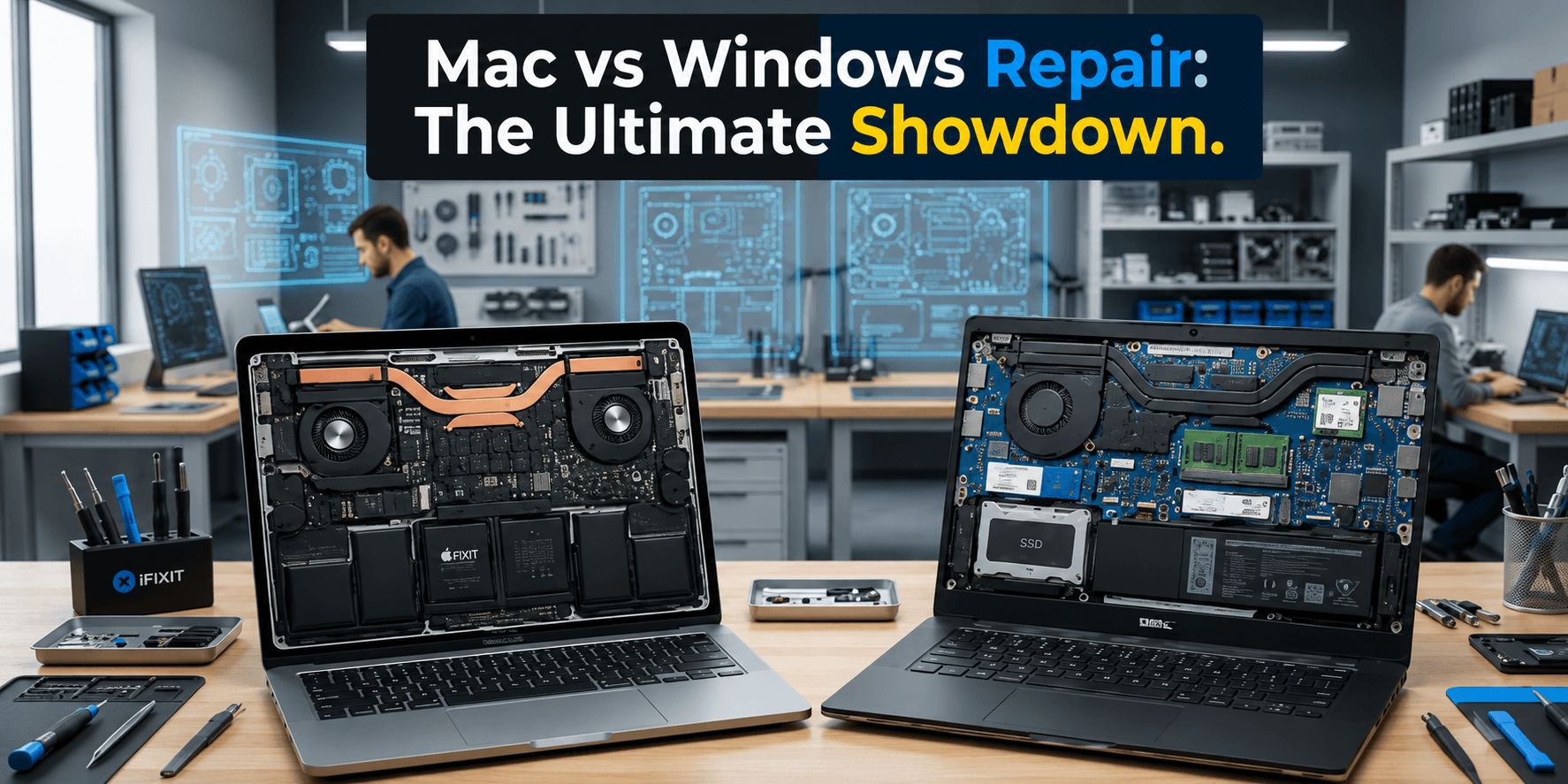
The choice between a Mac and a Windows machine usually revolves around speed, software compatibility, design, and cost. However, there is yet another factor that most consumers tend to ignore: the cost of maintaining the product.
While it may be pleasing to consider the technical specifications and price point while paying for your purchase, the true test will come much later, when the warranty runs out and something breaks down. In such a case, is the cost of fixing a MacBook higher than that of a Windows laptop? Is the Windows PC easier to repair?
In this Mac Repair vs Windows repair guide, we discuss the various repair problems, upgrade possibilities, cost, and maintenance that could help you make an educated choice about computer repairs in Perth.
Mac vs Windows Repair: What Is the Difference?
Hardware and software malfunctions may occur in both Mac and Windows operating systems over time. However, the design of each of them may make a significant impact on the troubleshooting process.
Windows computers have been produced by a number of companies such as Dell, HP, Lenovo, ASUS, and Acer, among others. There are several models that have replaceable parts, making their repair and upgrades easy.
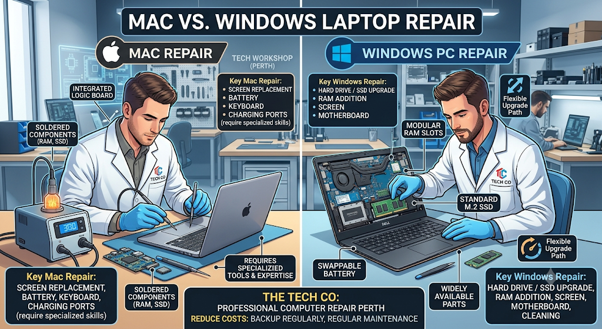
On the other hand, Apple maintains full control over the hardware and software side of their Macs. Contemporary MacBooks, especially those made using Apple’s chip technology, come equipped with components that are tightly integrated with each other. Such an arrangement makes repairs more specialized in some cases, as well as costly.
In the end, the cost of repair will depend on the model, the defect, the components needed, and whether the repair is feasible to begin with.
MacBook Repair vs Windows Laptop Repair
One of the biggest differences in the Mac vs Windows repair debate is upgradeability.
Access to hardware such as RAM, solid-state drives, WiFi card, and battery can be found in Windows laptops. It is possible that the old laptop can have some upgrades without having to purchase another one, thereby saving money.
MacBooks usually come with less upgradable hardware for users. With the advent of some newer models of the MacBook, the hardware tends to be integrated into the motherboard.
It does not imply that Apple computers are unworkable or cannot be fixed. It just means that particular fixes can only be made using specialized tools and skills from experienced technicians.
Which Computer Has Lower Repair Costs?
There is no generic answer because every repair is unique. But one could argue that Windows-based computers will be at an advantage when only one part can be replaced by itself.
For instance, where there is a laptop running on Windows with a problem with its SSD, the only thing that needs to be done is to replace the SSD, but only if that particular type of laptop allows for the removal of the hard drive.
The elements that influence the price of average repairs are the age and the model of the laptop, the type of hardware problem, the availability of the components, the amount of time and cost of labor, the capability of replacing the component, and the type of component that replaces it.
MacBook Repair Guide: Common Repairs
There are a lot of issues that may arise when using a MacBook, just like those faced by Windows laptops. Typical repairs include:
Screen replacement
The repair or replacement of a cracked screen is often one of the most expensive fixes, especially for new MacBooks.
Battery replacement
Over time, the battery will naturally degrade in performance. Battery replacement can allow the computer to have more longevity.
Keyboard and trackpad problems
These parts of your MacBook can suffer damage due to liquids getting inside, physical wear, or simply becoming defective.
Charging problems
The failure of charging ports, charging cables, adapters, and other parts of the charging system within the laptop may prevent the MacBook from charging effectively.
Software and macOS problems
Not all MacBook problems require hardware repair. Slow speed, crashes, startup issues, and storage problems may easily be fixed by using software troubleshooting techniques.
Windows PC Repair Guide: Common Repairs
Windows-based computer systems face similar issues related to hardware failure, but since there are so many different types of manufacturers, the solutions may differ from one brand of computer to another.
Slow performance
Windows computers slow down due to a lack of memory, an old hard disk, running programs in the background, malware, many programs loading at start-up, or a lack of space.
Hard drive or SSD failure
Storage issues account for many cases of computer crashes, slow start-up times, and data loss. Upgrading from an old hard drive to a newer SSD would greatly improve the computer’s speed.
RAM upgrades
Some computers running Windows permit you to add more RAM, but this is usually dependent on the brand and type of the computer.
Screen replacement
Laptop screens that are cracked can frequently be replaced without having to replace the whole computer.
Windows software problems
Software corruption, driver errors, viruses, update failures, and program conflicts can all lead to annoying Windows PC problems.
Computer Repair Comparison: Mac vs Windows
Repair Factor | Mac | Windows |
Hardware variety | More limited | Very wide range |
Upgrade options | Often limited | Often better, depending on model |
Replacement parts | Model specific | Often widely available |
DIY repair | Can be challenging | Varies significantly |
Software troubleshooting | Generally straightforward | Wide range of possible causes |
Repair complexity | Can be high on newer models | Depends heavily on manufacturer and model |
Long-term upgrade potential | Often limited | Often better on supported models |
The key point is that all Macs are not necessarily expensive for repair while all Windows machines are not necessarily cheap to repair. It actually depends on the model and the particular defect.
Why MacBooks Can Cost More to Repair
MacBooks feature an ecosystem of hardware and software tightly coupled together. It provides many advantages, including user experience and design-related ones, yet it can also make some parts less modular.
If there are many parts connected into one whole, then the possibilities for repair will be fewer compared to a modular computer with a desktop form-factor. This is precisely the reason why the right diagnosis is vital when authorizing any MacBook repair.
Why Windows Computers Can Be More Affordable to Repair
One of the strengths of Windows-based machines is their versatility of hardware options. Depending on the particular type, sometimes a technician will have the opportunity to replace a component, and not the entire machine.
For instance, a replacement for the SSD or the RAM of the computer would help in extending its useful life without having to buy a whole new computer. However, it should be noted that newer Windows laptops have also become very compact and integrated.
What About Desktop Computers?
When looking at Macs vs Windows repair services, desktop PCs should be looked at separately.
Upgrading and repairing desktop computers running on Windows is always easier compared to laptops. RAM, hard drives, graphic cards, power supplies, and even cooling units are easily upgradable, thus making repairs cheaper.
Desktops from Mac may also prove reliable and powerful; however, different models have different upgrade and repair options. If an organization requires a computer that will be upgradable throughout the coming years, then it is necessary to take into account its reparability when buying it.
How to Reduce Your Computer Repair Costs
Whether you are a user of Mac or Windows, proper maintenance practices could help avoid certain costly issues in the future. Make sure that your operating system and programs are up-to-date, have enough free space available, your computer is safe from any malware, make backups, and always be careful about any strange sounds or overheating.
Above all, ensure you back up any important data periodically because while fixing the computer may be relatively easy, fixing data that has been lost due to hard disk failure is much more complex.
So, Is Mac or Windows Cheaper to Repair?
For most people, Windows computers are easier to repair and upgrade because of their replaceable parts, especially desktop and laptop models.
MacBook repairs have also proven successful, though some hardware repairs will require greater specialization and can prove more costly, especially in newer models.
The best option really comes down to priorities. If you need maximum flexibility when it comes to upgrades and hardware selection, Windows may suit your needs better. However, even if you like the whole ecosystem of Apple, build quality, software, and everything else, the MacBook can still prove itself to be an invaluable purchase despite the possible high cost of repairs.
Need Help With a Mac or Windows Computer?
Whether your MacBook is old and slow, whether your Windows laptop keeps crashing, whether your computer will not turn on, or whether it just needs an upgrade, having the issue properly diagnosed could save you some serious cash.
A professional technician will be able to find out if your computer requires repairing, upgrading, software fixing, or replacing, and thus, you won’t be paying more than needed.
Computer repairs and IT support services in Perth that homeowners and businesses trust are offered by The Tech Co, which offers computer repair services for Macs, Windows PCs, laptops, and o IT support Perth residents can rely on. If you want to make your current technology equipment perform better, then professional assistance can really help you do that.
Final Thoughts
There is not one clear winner when comparing Mac and Windows computers based on repair costs. Windows computers may hold the upper hand when it comes to upgradeability and replacement parts, but Macs provide an experience where both hardware and software are perfectly integrated. The real expense of owning the computer will depend on the particular model, age, problems being experienced, and availability of parts.
Before considering replacement of the computer due to the problem, it is recommended to get professional advice on how to fix the issue. There are situations when quite an easy fix would prolong your computer’s life for years to come.
Looking for computer repair service on Mac or Windows in Perth? Contact The Tech Co today for professional on-site computer repair Perth families and businesses can count on.